
It's Friday at 4:00 PM. While you’re trying to finish your work for the week, your boss gives you a thick folder with 50 messy CSV files. He wants you to create a visualization report before you go home. Just a year ago, this was a guaranteed way to get stuck in the office. You’d have to manually merge everything, correct a million broken VLOOKUPs, and cross your eyes from staring at #N/A errors.
Those days are finally over. As we approach 2026, we have moved past the basic ‘AI can write emails’ hype. Smart teams understand that vanilla chatbots won’t do serious financial modeling or real data science. The focus is on refined, specialized tools that can clean, interpret, and visualize data accurately and intelligently, rather than simply talking about it.
If you're still manually scrubbing rows or debugging nested formulas, you're probably working at maybe 30% of what you could be doing. The right Excel AI assistant can turn a full day of tedious work into 15 minutes of strategic review. MIT research supports this and shows that specialized tools truly change how knowledge workers operate.
This guide breaks down the 12 most effective best AI Excel tools for 2026, focusing on what actually works for spreadsheet automation at scale.
1. The New Standard for Spreadsheet Intelligence in 2026
Modern business runs on data. And this goes far beyond a few hundred rows. We are dealing with complex data ecosystems that span cloud platforms, legacy systems, and everything in between. Relying on manual oversight in these environments is almost impossible if you want to maintain accuracy.
Using specialized AI data analysis tools isn't a nice-to-have anymore. It is essential for staying operational. These applications bridge the last mile of data analysis by turning raw, messy records into usable business intelligence. By automating the technical headaches of spreadsheet automation, these tools let you focus on forecasting and decisions instead of cell formatting.
2. Our Methodology and Selection Standards
I didn't just compile a list from the first page of Google. These recommendations come from months of real-world testing based on what actually matters for professionals in 2026:
- Computational Accuracy: Does it get the math right every time? Non-negotiable.
- Batch Processing Power: Can it handle multiple files with 10,000+ rows without lagging? Real work demands this.
- Setup Friction: Can you accomplish complex tasks through natural language, or do you need a PhD to figure it out?
- Data Security Protocol: Every tool here offers GDPR-compliant privacy features. Your sensitive data stays confidential.
3. Top 12 Best AI Excel Tools for 2026 at a Glance
点击图片可查看完整电子表格
4. Detailed Review: The 12 Best AI Excel Tools of 2026
4.1 hiData.ai: The Professional Computational Analyst
Official Website: https://hidata.ai
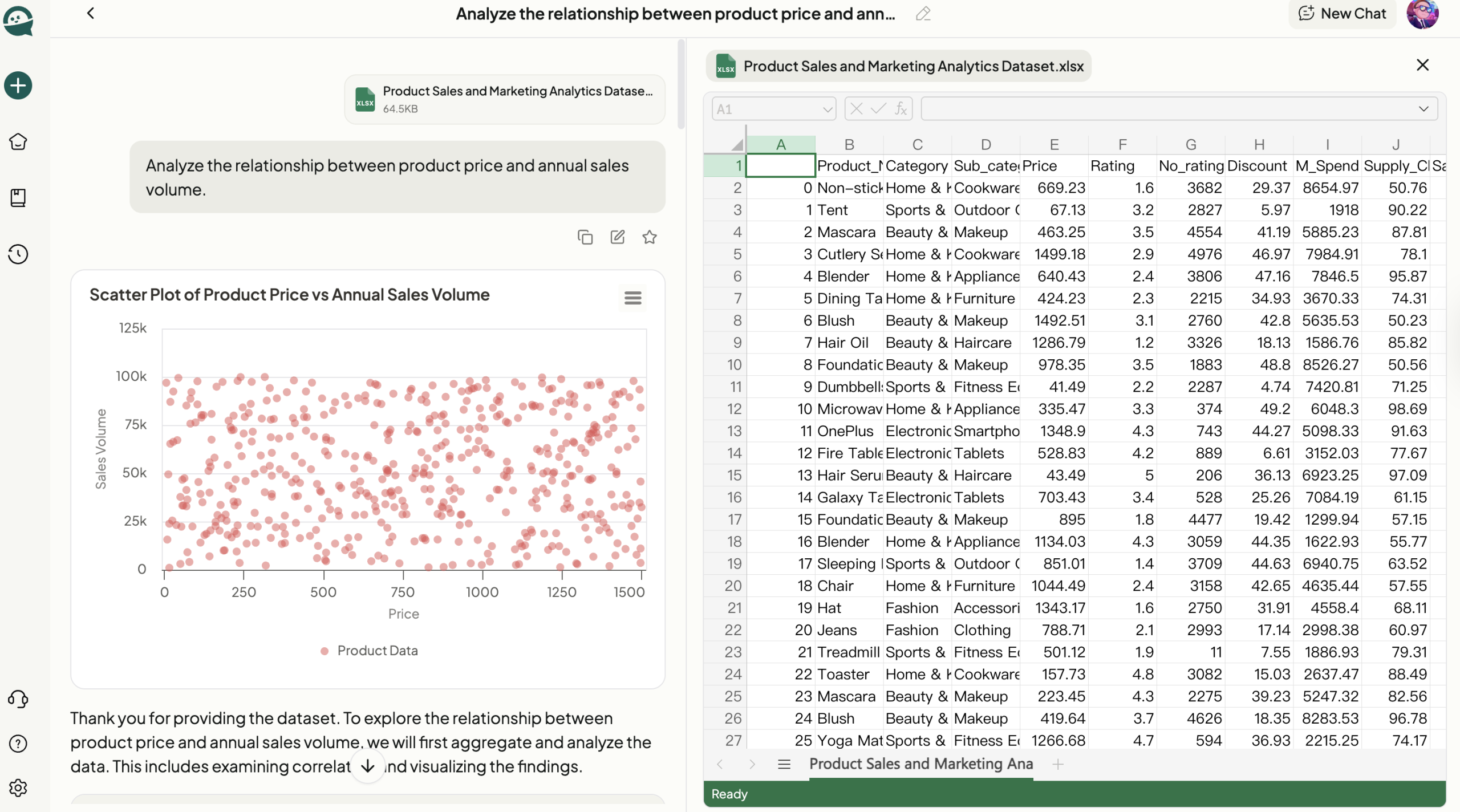
In a world where data integrity means everything, hiData.ai is the gold standard for spreadsheet professionals. Unlike tools that prioritize chat over calculation, hiData is an agentic platform actually built for rigorous data science within Excel.
Highlights:
- End-to-end analysis pipeline: Automatically cleans messy raw files from start to finish
- Python-based logic engine: Guarantees mathematical precision, which is critical for financial and scientific work.
- Intuitive command interface: Ask complex questions in plain English, get accurate cross-file comparisons, and trend detection
- Virtual data scientist: Validates every step for transparency, so you know exactly what's happening
- Multi-file processing: Handle dozens of spreadsheets simultaneously without breaking a sweat
Common Use Cases:
- Financial analysts: Month-end close processes that once took hours now finish in minutes, consolidating exports from multiple systems into unified reports.
- E-commerce managers: Reconcile sales data from Amazon, Shopify, and Stripe simultaneously to identify growth drivers
- Data teams: Transform 50 disorganized CSVs into presentation-ready visualizations before the end of the day
- Forecasting: Run complex scenario analyses across historical datasets without manual formula building

4.2 Microsoft Copilot for Excel
Official Website: https://www.microsoft.com/en-us/microsoft-365/copilot
Microsoft Copilot is the native intelligence layer built right into the Microsoft 365 suite. If you live in Excel already, this is the most seamless Excel AI assistant you'll find.
Highlights:
- Native integration: Works directly inside Excel, so there is no need to switch apps or deal with export and import cycles.
- Simple dialogue navigation: Format rows, create pivot tables, and generate charts through conversation
- Microsoft Graph connection: Respects your organization's permissions and data governance rules automatically
- Large table summarization: Quickly digest massive datasets without leaving your workflow
- Corporate-friendly: IT teams trust it because it is built by Microsoft, with security and compliance included by default.
Common Use Cases:
- Corporate employees: Quickly organize project trackers or format departmental budgets without hunting through menus
- Excel beginners: Find features and functions by describing what you want instead of remembering ribbon locations
- Meeting prep: Generate summary charts from raw data in minutes before a client call
- Collaborative work: Share insights with team members who use the same Microsoft ecosystem

4.3 Ajelix
Official Website: https://ajelix.com
Ajelix is the go-to solution when you need to automate repetitive tasks with VBA scripts and macros but don't want to write code.
Highlights:
- No-code automation: Describe your workflow in English, get a fully functional macro in seconds
- Formula Explainer: Breaks down complex, inherited spreadsheets into understandable logic
- Backend focus: Handles the technical VBA work while you focus on business logic
- Legacy modernization: Perfect for teams maintaining old files that need updated automation
- Multi-step workflows: Automate entire processes, not just single formulas
Common Use Cases:
- Operations leads: Build automated daily reports that pull and format data from internal databases
- Tax professionals: Debug complex calculation engines built over several years without starting from scratch
- Finance teams: Automate month-end reconciliation processes that follow the same steps every time
- Administrative staff: Convert repetitive manual tasks into one-click operations

4.4 Formula Bot
Official Website: https://formulabot.com
Formula Bot is beautifully simple. It solves the familiar problem of forgetting formula syntax, something that frustrates users at every skill level.
Highlights:
- Plain English to formula: Type your request, and Formula Bot gives you the correct formula without memorizing syntax.
- Missing parentheses eliminator: Removes the frustration of debugging formula errors
- Speed-optimized: Clean interface that gives you answers fast so you can get back to work
- Function argument helper: Never look up whether it's VLOOKUP(value, range...) or VLOOKUP(range, value...) again
- All skill levels: Works for beginners and experts who just can't remember that one function
Common Use Cases:
- Administrative assistants: Perform conditional sums or lookups without memorizing every Excel function
- Small business owners: Calculate margins, taxes, or commissions without an Excel course
- Occasional users: Get formulas right the first time, even if you only use Excel monthly
- Quick calculations: Stop Googling "how to do X in Excel" and just ask Formula Bot

4.5 Numerous.ai
Official Website: https://numerous.ai/
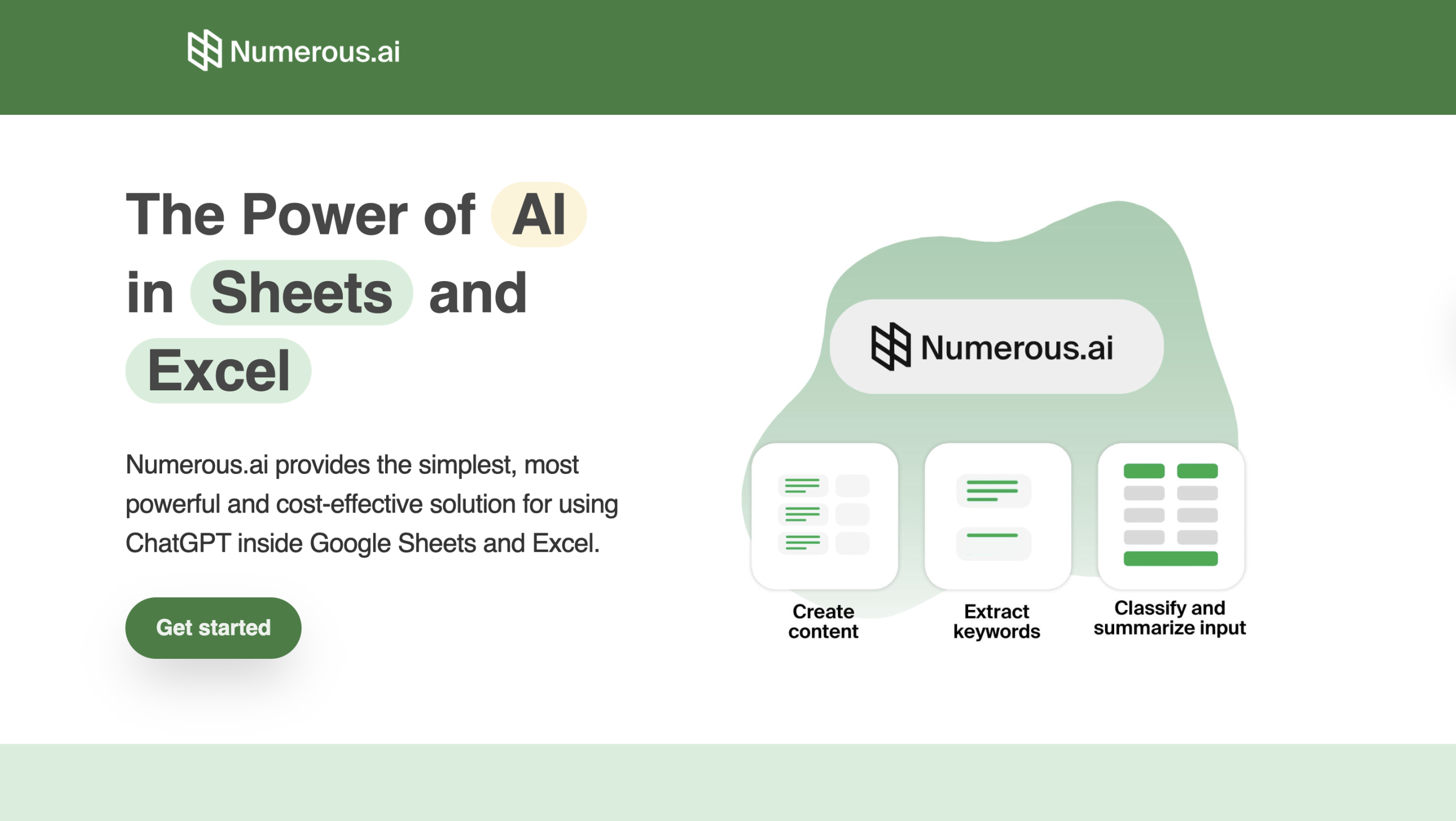
Numerous.ai brings large-scale text processing power directly into your spreadsheet cells. Think of it as ChatGPT, but actually designed for spreadsheet automation.
Highlights:
- Custom formula integration: Performs text tasks (summarizing, classifying, generating content) for thousands of rows at once
- Batch processing engine: Turn your spreadsheet into a content generation machine
- In-place results: No copy-paste between tools—results populate directly in your table
- Unstructured data handling: Makes sense of messy text data at scale
- Time multiplier: What would take days of manual work happens in minutes
Common Use Cases:
- Content marketers: Generate hundreds of SEO product descriptions based on feature lists in other columns
- Customer support teams: Categorize and summarize thousands of feedback entries for monthly reports
- E-commerce operations: Create product descriptions, tags, and categories automatically from raw inventory lists
- Research teams: Summarize long-form text responses from surveys across thousands of respondents
4.6 Rows
Official Website: https://rows.com
Rows is a web-based spreadsheet platform that prioritizes real-time data integration over traditional offline files. It's what modern automated spreadsheets 2026 should look like.
Highlights:
- Native business tool connections: Direct links to LinkedIn, Stripe, Google Ads, and more
- Auto-updating dashboards: No manual exports—your data refreshes automatically
- Built-in AI Analyst: Reads your live data and suggests relevant charts and insights proactively
- Web-first design: Share interactive reports via link, no file downloads needed
- Collaborative by default: Multiple team members work in the same view simultaneously
Common Use Cases:
- Marketing agencies: Track campaign performance across multiple platforms in one unified view
- Startup founders: Monitor live business metrics and share interactive dashboards with investors
- Sales teams: Pull real-time pipeline data from CRM without waiting for weekly exports
- Finance operations: Connect to payment processors and bank accounts for up-to-the-minute cash flow visibility

4.7 GPTExcel
Official Website: https://gptexcel.uk
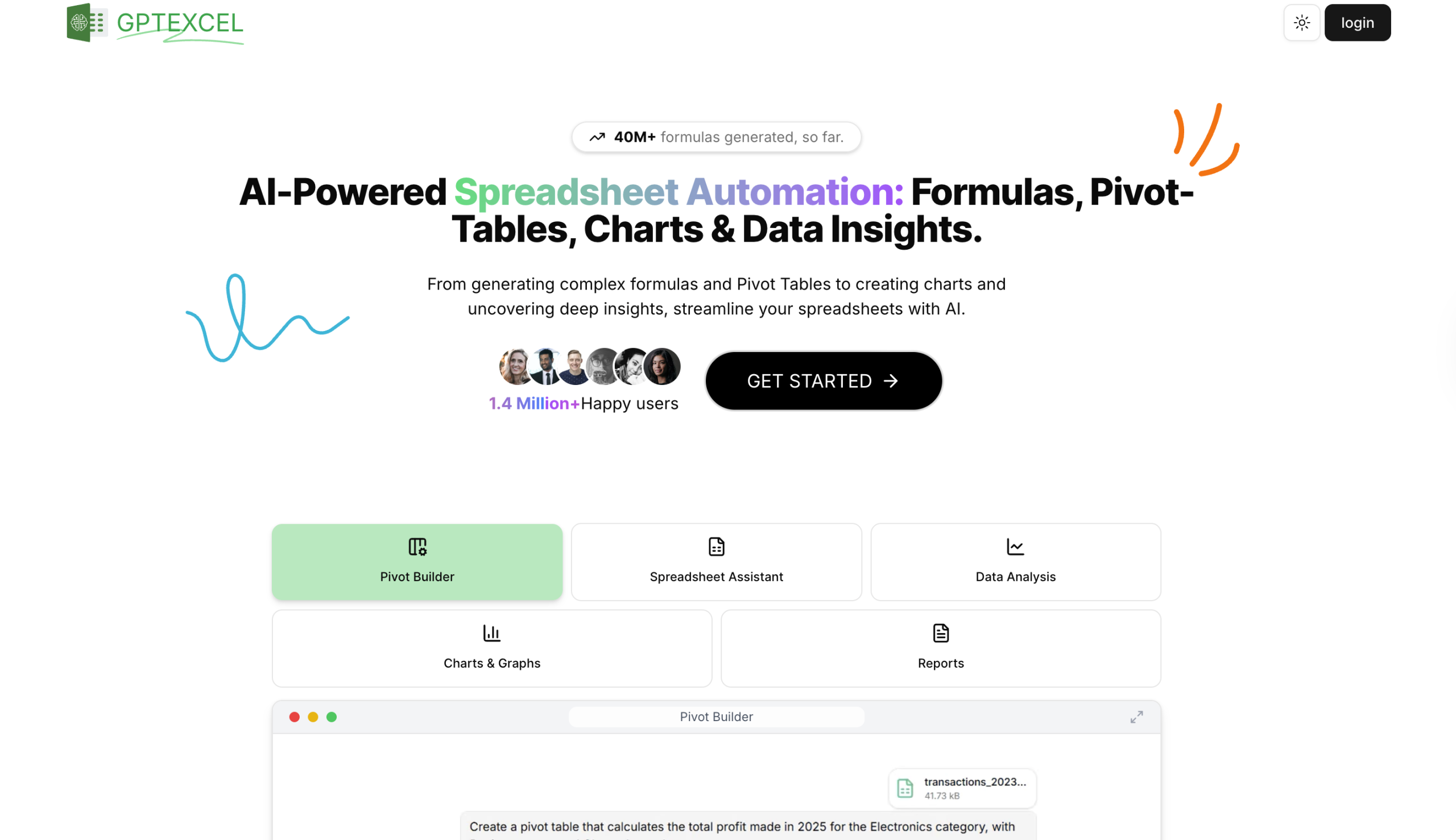
GPTExcel is your bridge between spreadsheets and databases. It's an AI formula generator that works across platforms.
Highlights:
- Multi-platform support: Generate formulas for Excel, Google Sheets, and SQL queries
- Great for transitions: Perfect for professionals moving from basic spreadsheets to database work
- Clear explanations: Every output includes reasoning, so you learn while you work
- Cross-environment logic: Understand how the same problem is solved in different tools
- Learning resource: Builds your technical literacy while solving immediate problems
Common Use Cases:
- Junior analysts: Write formulas and database queries by describing goals in plain English
- Students: Learn proper syntax for Excel and SQL simultaneously for class projects
- Career transitioners: Build database skills while still working primarily in spreadsheets
- Technical documentation: Generate example queries and formulas to include in training materials
4.8 SheetAI.app
Official Website: https://sheetai.app
SheetAI.app is a research assistant that lives inside your Google Sheets, specializing in data enrichment.
Highlights:
- Automatic data population: Fill missing information based on simple identifiers (company names, email addresses, etc.)
- Web research automation: No more manual Googling to complete your datasets
- Comprehensive database building: Turn partial info into complete professional records
- Time saver: What used to take hours of research happens in minutes
- Smart inference: Uses context clues to find and verify the right information
Common Use Cases:
- Sales representatives: Enrich lead lists with company size, industry, and contact details before outreach
- Recruiters: Build detailed candidate profiles from basic LinkedIn URLs or names
- Market research: Gather industry classifications, revenue estimates, and employee counts for competitor analysis
- Event planning: Auto-populate attendee details from registration lists with minimal initial data

4.9 ChatCSV
Official Website: https://www.chatcsv.co
ChatCSV is a conversational interface for data files. Get insights without ever opening Excel or Google Sheets.
Highlights:
- Question-based analysis: Upload any CSV and ask direct questions about its content
- Plain text answers: Get insights in a readable format or simple charts
- Zero setup time: Fastest way to interrogate a data export when you need answers now
- Ad hoc queries: Perfect for one-off questions that don't justify building a full dashboard
- Non-technical friendly: No formulas, no pivots—just ask and receive
Common Use Cases:
- Executives: Get quick answers from team reports without opening the file or learning formulas
- Non-technical staff: Understand data exports without asking the data team for help
- Quick decisions: "What's our top-selling product this quarter?" Instant answer
- Meeting prep: Pull key stats from raw data files seconds before a presentation

4.10 PromptLoop
Official Website: https://www.promptloop.com
PromptLoop is an enterprise-grade AI data analysis tool built for high-volume data cleaning across massive datasets.
Highlights:
- Industrial-scale processing: Handles tens of thousands of rows without performance issues
- Data engineering focus: Heavy lifting like standardizing addresses, classifying products, and extracting entities
- Robust transformation: Built for data migrations and regular database maintenance
- Pattern recognition: Finds and fixes inconsistencies across huge datasets automatically
- Production-ready: Not a toy—this is what data engineers use for critical operations
Common Use Cases:
- Data engineers: Clean and standardize legacy data before migrating to new systems
- Operations teams: Maintain massive product catalogs that need regular classification updates
- Database administrators: Prepare messy historical data for import into cleaned production environments
- E-commerce platforms: Standardize product attributes across thousands of SKUs from multiple vendors

4.11 Arcwise AI
Official Website: https://arcwise.app
Arcwise specializes in auditing and validating complex spreadsheet logic. It's your safety net for mission-critical models.
Highlights:
- Formula dependency mapping: Understand how every cell connects to every other cell
- Black box transparency: Makes complicated, inherited spreadsheets understandable
- Calculation explanations: Shows exactly how specific numbers are derived
- Error prevention: Catch logic flaws before they cause expensive mistakes
- Audit-ready: Perfect for when you need to prove your calculations are correct
Common Use Cases:
- Financial auditors: Verify the integrity of complex budget models before sign-off
- Inherited spreadsheet management: Understand the math in files you didn't create before making changes
- Compliance teams: Document and validate calculation logic for regulatory requirements
- Critical decision support: Ensure financial forecasts and pricing models have no hidden errors

4.12 Formulaizer
Official Website: https://formularizer.com/home
Formularizer is a precision-engineered Excel AI assistant designed for power users who prioritize accuracy in AI formula generation and complex text manipulation via Regular Expressions (Regex)..
Highlights:
- Advanced Pattern Matching: Effortlessly generate complex Regex patterns for spreadsheet automation without needing a computer science background.
- Surgical Text Extraction: A specialized tool for parsing and scrubbing messy web-imported data with absolute precision.
- Zero Conversational Fluff: Unlike generic chatbots, it delivers immediate, actionable code to solve specific formatting bottlenecks.
- Data Scraping Synergy: An essential component of any agentic data analysis workflow, perfect for cleaning chaotic web-scraped datasets.
- The Power User’s "Heavy Artillery": Built for scenarios where standard functions fail and high-level logic is required.
Common Use Cases:
- Web Data Parsing: Seamlessly structure and clean intricate text patterns from bulk web imports.
- Log File Analysis: Rapidly extract mission-critical insights from server logs or system diagnostic outputs.
- Mass Text Standardization: Use this AI formula generator to unify phone numbers, emails, or addresses across tens of thousands of rows instantly.
- Automated Data Validation: Implement sophisticated, pattern-based validation rules that catch and flag formatting errors in real-time.

5. How to Build Your Spreadsheet Automation System
Don't just pile up subscriptions. Approach spreadsheet automation as a strategic system. Here's the framework I recommend:
The Core Analyst: Use a robust platform like hiData.ai as your primary data engine. Since most professional work hinges on calculation accuracy, having a specialized Excel AI assistant for analysis and visualization delivers the fastest ROI. This is your foundation.
The Knowledge Hub : Deploy tools like SheetAI or Numerous.ai to automate data intake and enrichment. This ensures your analysis always starts with comprehensive, current information instead of garbage data.
The Audit Layer: For mission-critical work, implement something like Arcwise to validate your logic. This keeps your automated systems transparent and error-free over time. Think of it as insurance for your most important models.
6. Frequently Asked Questions (FAQ)
Q: How do specialized AI Excel tools differ from using a chatbot like ChatGPT?
A: ChatGPT is great for writing and general questions, but it wasn't built for serious number crunching. Specialized best AI Excel tools like hiData.ai is optimized for computational precision. They handle much larger datasets, follow strict spreadsheet logic, and provide stronger data privacy guarantees for sensitive business information. Plus, they don't hallucinate math.
Q: Can these tools help me if I have zero coding experience?
A: Absolutely. Most of these platforms are designed specifically for non-technical users. You interact with them using plain English, and the AI translates your intent into the necessary formulas, scripts, or charts automatically. That’s the main goal: making data analysis accessible to everyone.
Q: What is the primary benefit of hiData for a small team?
A: For small teams, hiData.ai acts like hiring an additional data scientist without the $150K salary. It handles the tedious work of cleaning and organizing data, so your existing team members can focus on core business goals and strategic planning instead of cell formatting.
Q: Are these tools secure enough for corporate data?
A: The tools on this list (especially enterprise options like hiData, Microsoft Copilot, and PromptLoop) offer SOC2 compliance and GDPR-compliant privacy features. That said, always read the privacy policy. Make sure your data isn't being used to train public models, especially if you're handling sensitive financial or customer information.
7. Conclusion: Transform Your Spreadsheet Workflow in 2026
By 2026, the gap between top-tier professionals and everyone else comes down to one thing: their ability to use automated agents. When you delegate the repetitive logic of spreadsheet automation to a specialized tool like hiData.ai, you're not just saving time. You're ensuring your work is more accurate, your insights go deeper, and your output scales.
The next time you face a complex data challenge, remember: the goal isn't to work harder within the cells. It's to manage the system that does the work for you.
Ready to Reclaim Your Time?
Start your free trial with hiData today and experience the next generation of agentic data analysis. Transform how you work with spreadsheets and save 20+ hours every week.